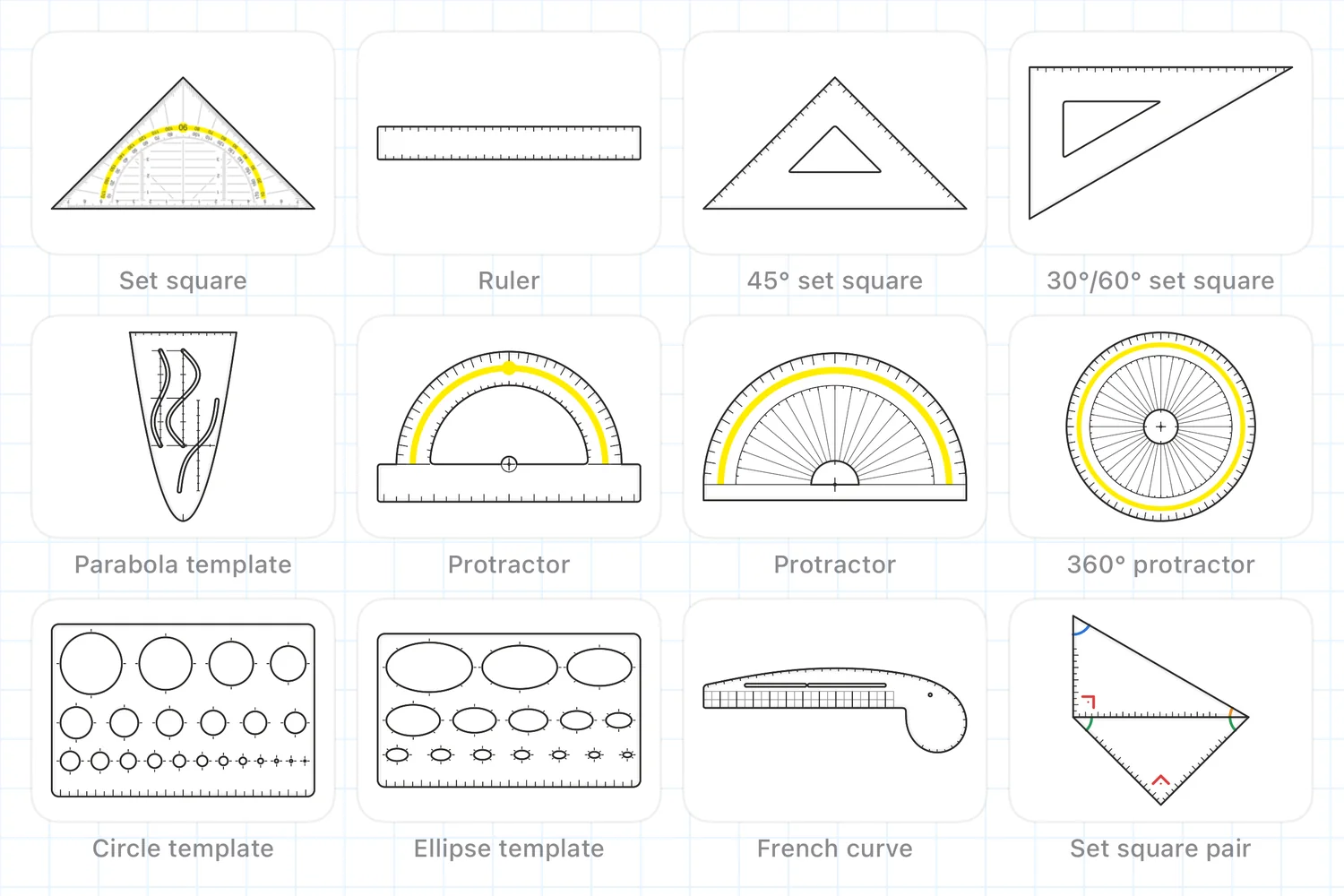
Twelve real tools
All tools work with the pencil just like the originals. Every edge and template is recognised, always true to scale.
Move with one finger, rotate with two, and touch and hold to open the quick menu.
Developed by a maths teacher
I developed this app because, as a maths teacher, I always missed something: demonstrations on the board should look exactly like work in a notebook. With Geo3App, all lines, distances and angles – including the drawing tools themselves – always stay true to scale: as real as paper, as precise as digital.
The beta starts soon. Geo3App is being prepared for testing through Apple TestFlight. The App Store release will follow. Join the beta
How Geo3App works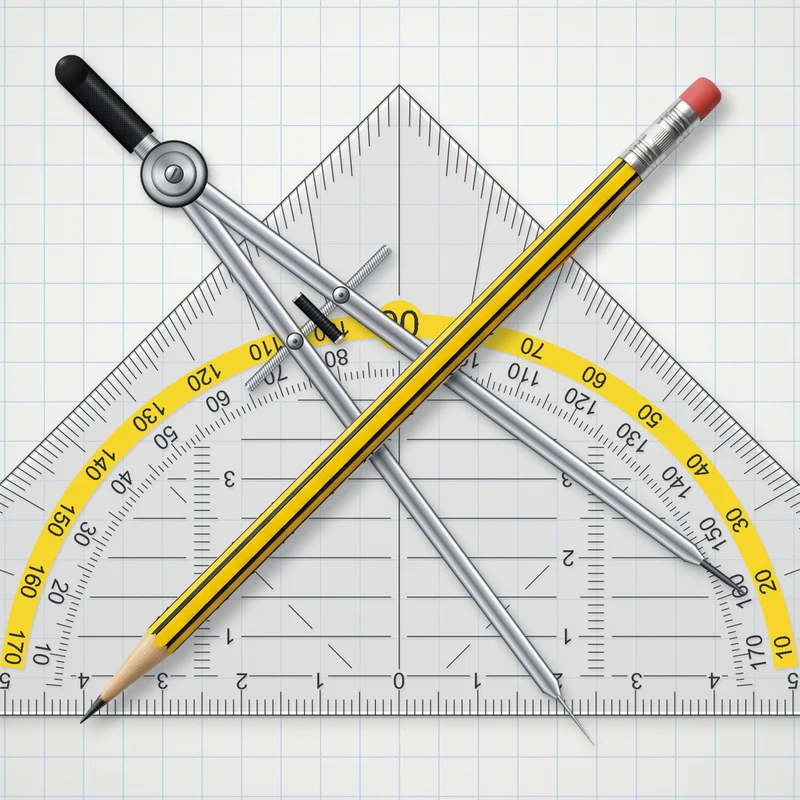
How Geo3App works
All tools work with the pencil just like the originals. Every edge and template is recognised, always true to scale.
Move with one finger, rotate with two, and touch and hold to open the quick menu.
Drawing along an edge makes a straight line. Approaching an edge at a nearly right angle stops the line, for example to mark angles.
Touch the needle to move the compass. Moving the lead adjusts the radius or draws a circle, depending on the direction. Touch and hold to open the quick menu.
Create your own coordinate system and adjust every parameter. Then plot any functions you like – they appear true to scale on the paper.
Select the tape measure button, then tap segments. Tapping two segments in succession also measures the angle between them. Parallel lines are indicated.
Draw a shape and hold briefly to recognise it cleanly. Reshape and adjust it using the handles. Standard shapes snap into place automatically.
Use the stamp button to choose vertices, sides or angles. Tap once to place a label. For angles, tap the first ray, then select the second ray counterclockwise.
Type text and formulas directly. Use LaTeX code or a keyboard with all the characters and symbols you need. LaTeX commands also work right inside running text. Give it a try!
Use the laser pointer to highlight specific details – on the projector or a large screen.
On the projector or screen, the class sees the fineliner, pencil, eraser and your fingers. Turn it on in the Present menu.
Double-tap with two fingers to undo the last step, double-tap with three fingers to redo it.
Squared, dotted, millimetre or isometric paper – or simply blank. Set it up the way you need.
Stay organized by creating notebooks just like real ones: DIN format, ruling like a school exercise book and a cover you can design yourself. Here too, everything stays true to scale – just like in a real notebook.
Choose how you want to draw. You can change this at any time in the main menu under “Input”.
Questions
Didn’t find your answer? Get in touch via the support page.
Geo3App is an iPad app for maths lessons with a digital set square, a 3D compass and other templates. You draw true to scale on an infinite sheet or in notebooks, measure, label and use shape recognition. It also offers coordinate systems with a function plotter, a text box with a formula editor and LaTeX, and tools for presenting on a board or projector.
Above all for maths teachers who show constructions on the board or projector. It is just as suitable for students constructing on the iPad and for anyone who wants to create and explain geometric drawings digitally.
Geo3App is made for iPad and runs on iPadOS 17 or later.
Apple Pencil can be used on compatible iPad models. You will also find the exact requirements on the App Store page.
Both. In pencil mode, Apple Pencil draws with full precision, pressure and tilt while your fingers move the sheet and the tools. In finger mode, one finger draws and two fingers zoom and pan. You can switch modes at any time in the main menu under Input. Without a pencil, precision, pressure and palm rejection are limited.
Twelve tools: set square with protractor, ruler, 45° set square, 30°/60° set square, parabola template, two protractors, 360° protractor, circle and ellipse templates, French curve and set square pair – plus the 3D compass.
Paper options are squared, lined, dotted, millimetre, isometric, polar coordinates, semi-logarithmic and blank, in centimetres or inches. Notebooks also offer school notebook rulings.
Geo3App is free during the beta. After release you can try it free for 7 days. The full version is a one-time purchase of €9.99, with no subscription and no ads.
The support page lists all ways to get in touch. Or write directly to geo3app@gmail.com.
Get the set square, compass and templates on your iPad – so that what you draw at the front is exactly what ends up in the notebook.
The beta starts soon. Geo3App is being prepared for testing through Apple TestFlight. The App Store release will follow. Join the beta